Uber - Request a ride

Features of Uber - Request a ride
Hassle-Free Travel Experience
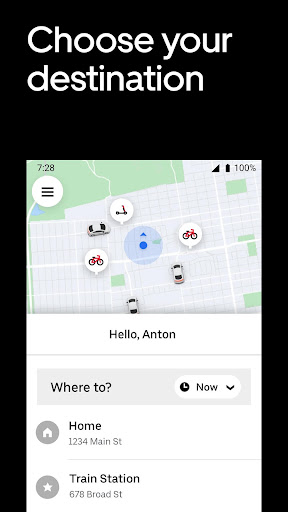
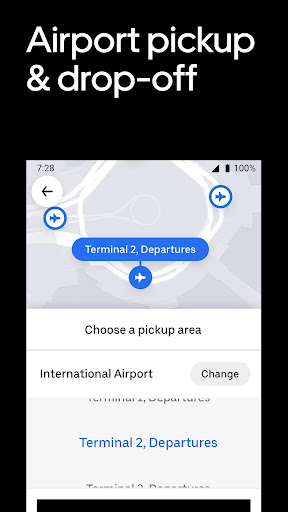
With service in more than 600 airports and 10,000 cities around the world, Uber offers fast ride-hailing everywhere you go. You can call a car on demand anytime, or you can book in advance.
Personal Safety Guarantee
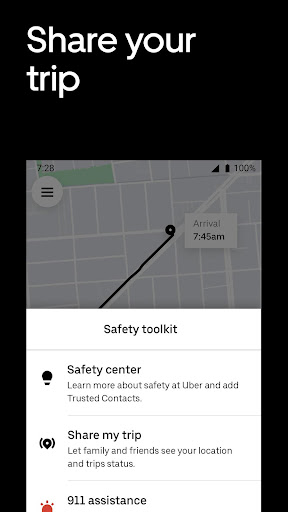
During your trip, you can share location information and trip status with friends and family. You can also call local agencies directly, and the system will automatically display your location information and trip details so that agencies can respond quickly when you need help.
Excellent Services
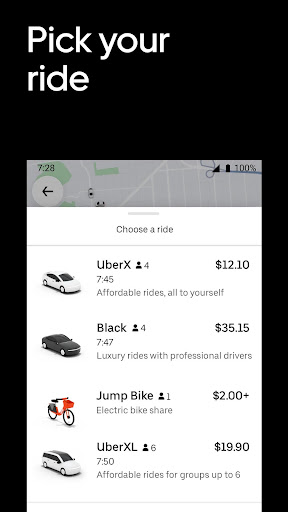
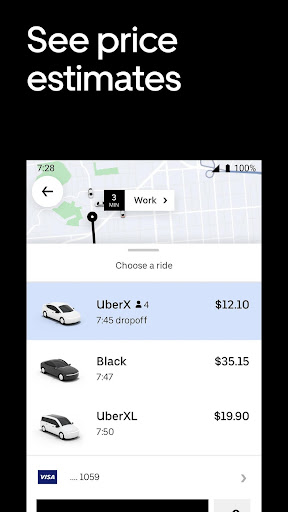
Uber can find the right vehicle for you to meet your price and space needs. You can also check the estimated fare and time of arrival before you call a car in order to make the right arrangements.
Tips
😌 Wait inside till the car arrives and be ready for the pickup.
It is said that some drivers need a longer time to arrive than the app says. It's not always a good idea to stand outside by yourself, so you may consider getting out the door when the app shows that the driver has arrived.
🤔 Confirm each other's names before getting in the car.
To avoid getting in the wrong car, always ask the driver to confirm your name before getting in. You'll have the driver's first name displayed in the app. By contrast, the driver will get yours as well. Other than that, match the license plate, car make and model, and driver photo with what's provided in your app. With this double check, you'll never get in the wrong car.
😜 Always sit in the back seat.
Always sit in the back seat when possible. Other than giving you and the driver some personal space, it ensures you can get off the car on either side of the vehicle to avoid traffic. But do remember to wear the seat belt even when you're sitting in the back seat.
🗣 Send the ride information to your family and friends.
While taking a ride, it would be great to let family and friends know where you are and when you'll arrive to make sure that you're all right. In this case, tap "Share trip status" during the trip to notify them of your trip and ETA, along with the driver's name, photo, and license plate, just in case.

Ratings
Similar Apps




Top Apps