

Features of HEIC Converter - HEIC to JPG & Photo Viewer
Effortless Conversion Process
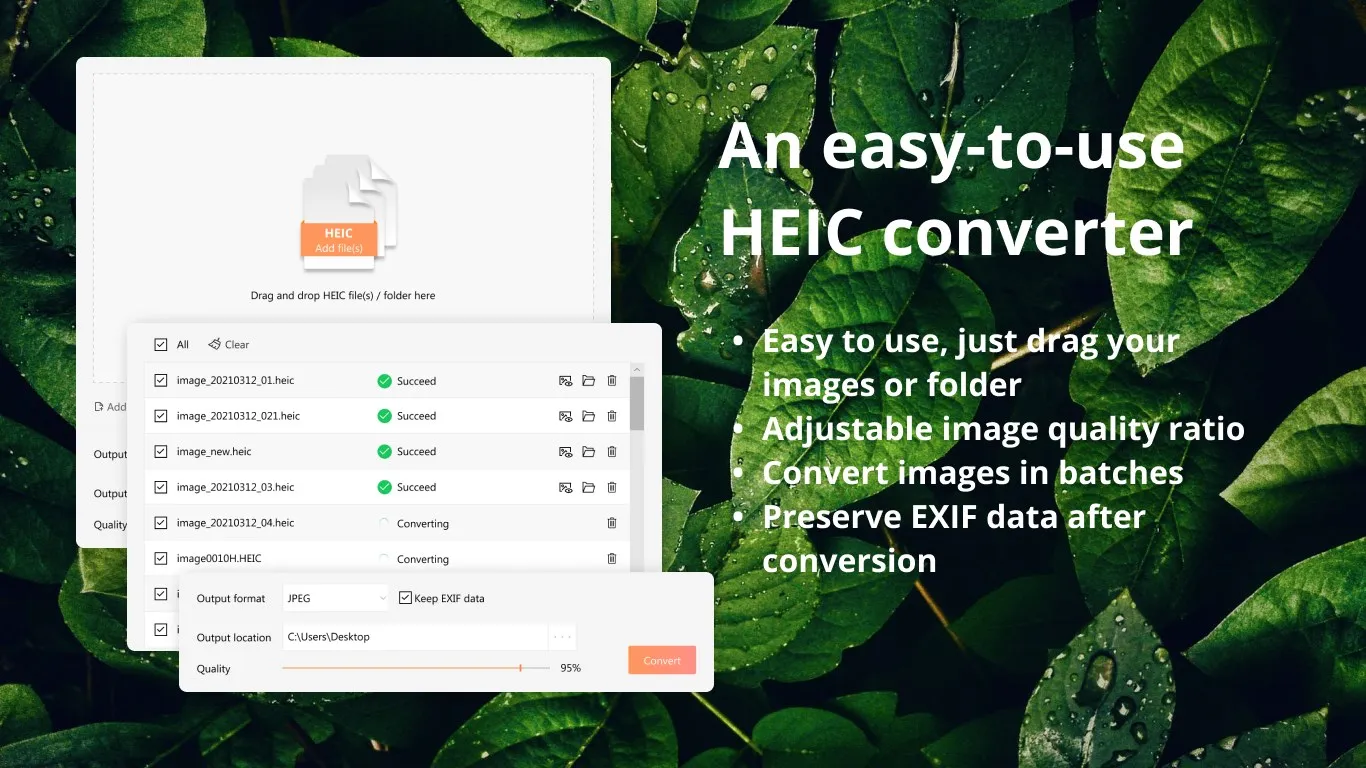
HEIC Converter simplifies the process of converting HEIC files to JPG format. With just a few clicks, users can select their desired HEIC images and convert them into a more universally accepted format. This feature is particularly useful for users who frequently receive or work with HEIC files but prefer to use the more common JPG format for compatibility reasons.
Integrated Photo Viewer
Beyond its conversion capabilities, HEIC Converter also serves as a photo viewer. This means users can directly open and view HEIC files without needing to convert them first. The integrated viewer supports zooming and panning, allowing users to inspect images in detail. This dual functionality makes the software a convenient tool for both viewing and converting images.
Batch Conversion Support
HEIC Converter stands out with its batch conversion feature, which allows users to convert multiple HEIC files to JPG at once. This saves users a significant amount of time, especially when dealing with large quantities of images. The software maintains the quality of the original images during the conversion process, ensuring no loss in detail or clarity.
Pros & Cons
- Fast conversion speed
- Supports batch conversion
- Built-in image viewer
- No advanced editing tools
- Limited to JPG output
- No drag-and-drop functionality
Top Downloads for Windows


